
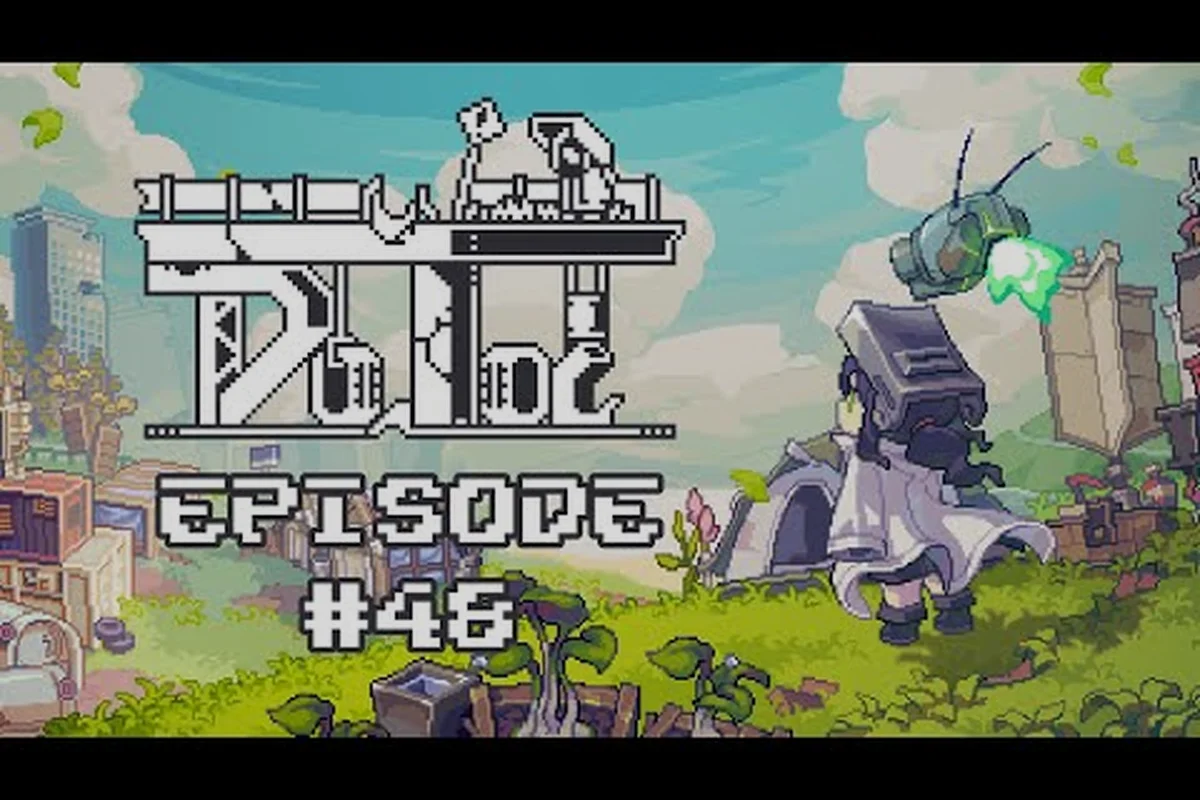
Your combat drone is the only thing standing between Proti and a hostile wasteland full of bullet hell patterns. Doloc Town drone customization lets you swap weapons, slot enhancement chips, and toggle between auto and manual control, turning a fragile starter unit into the backbone of every Outskirts expedition. Getting it wrong means scrambling through the Wetlands with stock fire rate and zero utility, so this guide walks through every loadout decision that actually matters.
Understanding the Drone Customization System
Customization in Doloc Town centers on three modular layers that snap onto your combat drone: the weapon module, the enhancement chip array, and the control profile. Each layer feeds into the others, so swapping a single chip can change how your weapon behaves and how often your drone decides to act on its own.
The auto-shooting combat drone is your permanent companion from the moment you unlock the crafting bench in the settlement hub. According to the Doloc Town Steam listing, the drone ships with a baseline configuration tuned for low-tier mobs, but the system opens up quickly once you salvage parts from Hostile Drone 33 and other early-game enemies. Each piece you recover contributes toward your arsenal, and the enhancement bench lets you reassemble the recovered hardware into a build that fits your playstyle.
| Layer | What It Controls | Swap Cost | Impact Tier |
|---|---|---|---|
| Weapon Module | Damage type, fire rate, projectile shape | Salvage parts | High |
| Enhancement Chip Array | Stat boosts, special abilities, cooldown | Chips + scrap | Medium-High |
| Control Profile | Auto/aim behavior, targeting priority | High | Medium-High |
If you want a deeper walkthrough on the broader combat system, our combat drone guide covers the movement and dodging fundamentals that pair with the loadout choices below.
Weapon Modules and Loadout Options
The weapon module is the loudest piece of your build, but it is also the most situational. Doloc Town drone customization rewards players who carry at least two weapon profiles and switch mid-mission, because every region throws different bullet hell patterns at you.
Starter and Mid-Tier Weapons
Beginner weapons focus on raw damage per shot rather than DPS, which keeps the auto-aim loop forgiving. Mid-tier weapons unlock multi-projectile spreads and pierce rounds that handle grouped mobs in the River Valley without burning through your chip slots. Community testing on the RPGamer review thread notes that players who swap to a spread weapon before the Old City Ruins encounter report noticeably fewer hit trades, because pierce rounds stagger trash mobs while letting you reposition.
| Weapon Tier | Damage Profile | Best Against | Mobility Trade-off |
|---|---|---|---|
| Stock Blaster | Single shot, mid range | Trash mobs | None |
| Spread Module | Multi-projectile, short range | Grouped packs | Lower projectile speed |
| Pierce Rounds | Linear, hits multiple | Corridors, line formations | Low DPS on single targets |
| Heavy Cannon | Slow, high burst | Bosses, elites | Long charge window |
Players interested in the stat-by-stat breakdown should bookmark our drone weapons guide for the complete weapon tier list once it is fully updated for the 1.0 patch.
Swapping Weapons Mid-Combat
You can rotate your active weapon from the quick-swap wheel without returning to the bench, which makes dual-wield configurations a real strategy. A common build pairs a fast spread module for trash clear with a heavy cannon reserved for elite enemies, letting the drone auto-fire the lighter weapon until a yellow-bar enemy appears, then swapping with a single button press. This approach is especially valuable during Mistshade and Raincrest weather seasons, when bullet density spikes and you cannot afford to reload.
Enhancement Chips and Stat Tuning
Enhancement chips are the granular layer of Doloc Town drone customization. Each chip occupies one of three slots and modifies a specific stat or grants a special ability with a cooldown. Chips drop from salvaged enemies and can be crafted at the bench once you have the schematic.
Chip Categories
There are three chip families that shape your drone's behavior: offense chips, utility chips, and survival chips. Mixing all three gives a balanced build, while stacking two families creates a specialized build that excels in one area at the cost of another.
| Chip Family | Example Effects | Stack Limit | Best Paired With |
|---|---|---|---|
| Offense | Attack speed, crit chance, damage | 2 per build | Utility or Survival |
| Utility | Cooldown reduction, targeting priority | 2 per build | Offense |
| Survival | Shield regen, evasion frames | 1 per build | Any |
According to the in-game glossary, attack speed chips remain the most commonly slotted upgrade for new players because the effect is visible immediately, but experienced players shift toward cooldown reduction chips to keep their special ability active during boss windows.
Special Ability Chips
Special ability chips unlock drone ultimates that range from a screen-clearing blast to a defensive barrier. The ability triggers automatically when the cooldown completes, so you cannot save it for a specific moment, which makes cooldown reduction extremely valuable. Players chasing the Drone 33 archetype build stack as much cooldown reduction as they can find, because the resulting uptime turns the drone into a constant source of burst damage. For a full chip database and synergy chart, our drone chips guide breaks down every chip family in detail.
Control Profiles: Auto, Manual, and Hybrid
The third layer of Doloc Town drone customization is the control profile, which decides how much of the firing loop you handle yourself. The drone can be set to fully automatic, manual aim, or a hybrid mode that auto-fires at the nearest enemy while letting you redirect with the right stick.
Mode Comparison
| Mode | Use Case | Skill Floor | Skill Ceiling |
|---|---|---|---|
| Fully Auto | Farming runs, exploration | Very Low | Low |
| Manual Aim | Boss fights, dense patterns | Medium | High |
| Hybrid | Most combat encounters | Low | Medium-High |
Most players settle into hybrid mode as their default because it covers the majority of fights without forcing constant aim correction. Manual aim is reserved for bullet hell patterns in the deeper zones, where you need pixel-perfect targeting to thread the drone's fire through gaps without overcommitting.
When to Flip the Switch
Turning off auto-fire is rarely a free action, because the drone stops contributing damage the instant you go manual during a multi-phase fight. The right time to flip is right before a pattern change, not in the middle of one. According to community data, the highest-performing Old City Ruins runs flip to manual only during the final phase of Drone 33, and run hybrid everywhere else. New players can safely stay in auto or hybrid mode through the entire pre-1.0 region without losing significant clear time, as confirmed by the broader beginner guide progression path.
Building the Optimal Drone Loadout
Putting the three layers together is where Doloc Town drone customization becomes a real build puzzle. The goal is not maxing one stat but aligning your weapon, chips, and control profile so they reinforce the same combat goal.
Recommended Loadout by Region
| Region | Weapon | Chip Setup | Control Mode |
|---|---|---|---|
| Outskirts (starter) | Stock Blaster | 1x Attack Speed, 1x Targeting | Auto |
| River Valley | Spread Module | 1x Cooldown Reduction, 1x Targeting | Hybrid |
| Wetlands | Pierce Rounds | 1x Cooldown Reduction, 1x Shield Regen | Hybrid |
| Old City Ruins | Heavy Cannon | 2x Cooldown Reduction, 1x Special | Manual (boss only) |
Step-by-Step Loadout Upgrade Path
-
Salvage every Drone 33 drop in the starter zone, because the schematics it drops unlock your first chip slot.
-
Craft one attack speed chip and slot it immediately, even if you have nothing else. The fire rate jump is the single largest early damage increase.
-
Switch to hybrid mode once you have cleared two full regions, because the auto-fire starts to mis-target during multi-enemy waves.
-
Swap to spread or pierce rounds when you enter the River Valley, because grouped trash mobs make single-shot weapons feel sluggish.
-
Begin crafting cooldown reduction chips once you have unlocked your first special ability chip. Cooldown reduction compounds with every ability you stack.
-
Respec your chip layout before each boss fight. Carrying a balanced loadout into a boss encounter usually costs more than it saves, because bosses ignore your utility chips and punish your downtime hard.
Common Mistakes to Avoid
-
Stacking three offense chips leaves you with zero utility and zero survivability, which feels powerful until a single elite mob deletes your drone.
-
Forgetting to swap control modes in boss fights is the most common reason players feel underpowered against late-game encounters.
-
Holding onto starter weapons past the River Valley soft-caps their scaling, and the salvage parts you would earn by upgrading fund your next weapon anyway.
-
Neglecting cooldown reduction in the mid-game means your special ability is offline for 40% of boss windows, costing you burst damage on stagger.
If you are still grinding out the early chips, our drone upgrade guide covers the salvage economy in depth, including which enemies drop which chip families and how to prioritize your scrap spending.
Frequently Asked Questions
What is the best drone customization setup for beginners in Doloc Town?
Start with the Stock Blaster, slot one attack speed chip, and run the drone in fully automatic mode. This combo carries you through the entire Outskirts region without any chip crafting, letting you stockpile salvage for your first real upgrade push.
How do I unlock enhancement chip slots in Doloc Town drone customization?
Chip slots unlock by leveling your drone at the enhancement bench using salvaged parts. Each tier of bench upgrade adds one slot, and the final slot requires a schematic dropped by Hostile Drone 33 in the Old City Ruins. Once unlocked, slots are permanent and shared across all weapon modules.
Can I change drone control modes on the fly?
Yes. The control profile is bound to a shoulder button on every supported input, letting you swap between auto, hybrid, and manual without opening the menu. The drone remembers your last-used profile per region, which means you can set a boss-specific profile once and the game will restore it automatically next time you enter that zone.
Is Doloc Town drone customization the same in co-op?
No, each player's drone customization is independent, but co-op does share chip cooldown timers when players are in the same session. Running one player on heavy burst and another on utility chips gives the squad the smoothest clear times on boss content, based on community testing.
Which enhancement chip is the single best upgrade?
Cooldown reduction wins outright at endgame, because it scales with every special ability you stack. Early on, however, attack speed chips deliver more visible damage because your special ability is not yet unlocked. Swap your priority once you have your first special ability chip slotted.
Customizing your drone well is the difference between a comfortable run through the Old City Ruins and a constant string of near-wipes against bullet hell patterns. Drop into the settlement hub, salvage every part you can carry, and start refining your build today. What is the first chip you are planning to craft for your loadout?